Update construction schedules in minutes.
Give your field team an interactive schedule that's filtered to their scope, shows relationships, and makes bad dates impossible. Updates flow straight into P6. No data entry. No errors. No late nights.
The update process needs an update
Teams will accept the process you give them, regardless of how manual or painful it is. The update cycle norm for most teams is not working and needs a change.
Teams with Stride
- ✓ Your team gets notified and instantly has the latest schedule on their device.
- ✓ Supers see just their scope by default, but still have access to everything.
- ✓ Reminders send automatically to people that haven't done their updates.
- ✓ All changes to the schedule show in one place for everyone, in realtime.
- ✓ Changes cleanly import into P6 in seconds
Teams Without Stride
- ✕ Export PDFs for everyone and email them to each team member.
- ✕ Supers scroll through thousands of activities looking for their scope
- ✕ Scheduler nags and follows up to get teams to provide updates.
- ✕ Updates come back as separate emails with annotated pdfs, or don't come at all
- ✕ Manual re-entry of each PDF into P6 if you can decipher all the scribbles
No more P6 data entry
Most tools stop at collection. Stride gives scheulers the ability to import updates directly into P6 without data entry. Don't just collect data. Update the schedule.


Stride works with any CPM tool that produces an XER
The schedule update cycle in Stride
Most update tools are a chore for everyone. Teams love Stride's interactive schedule that shows them their work every day. It's effortless to set dates, add notes and even new activities. All changes go back into P6 with no data entry.
Import
Bring your XER in, set the window, team is notified.
Update
Field teams update their scope easily and in one place.
Report
Reminders keep everyone on track and accountable.
Export
Out of Stride and into P6. No data entry. No late nights.
Supers, schedulers, and execs each get what they need in Stride.
Superintendents
See your assigned scope, with access to the whole schedule
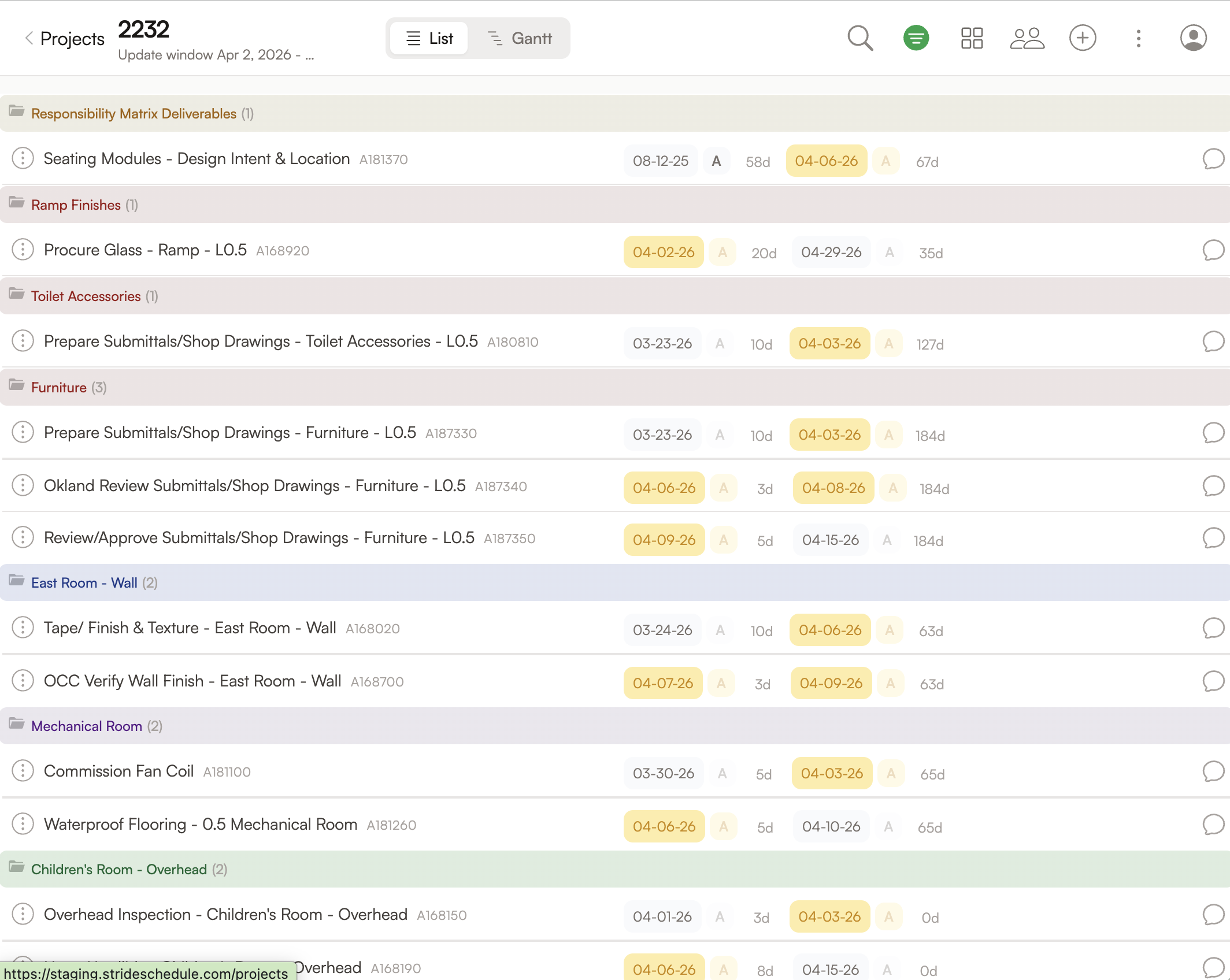
- ✓ Filtered to your work, with access to the whole to-go schedule.
- ✓ Navigate activity relationships for the entire project. Your PDF can't do that.
- ✓ Interactive Gantt chart shows impacts instantly as dates change.
- ✓ Daily huddles surface what is getting worked and what is being missed.
Schedulers
Now you have time to plan instead of doing data-entry
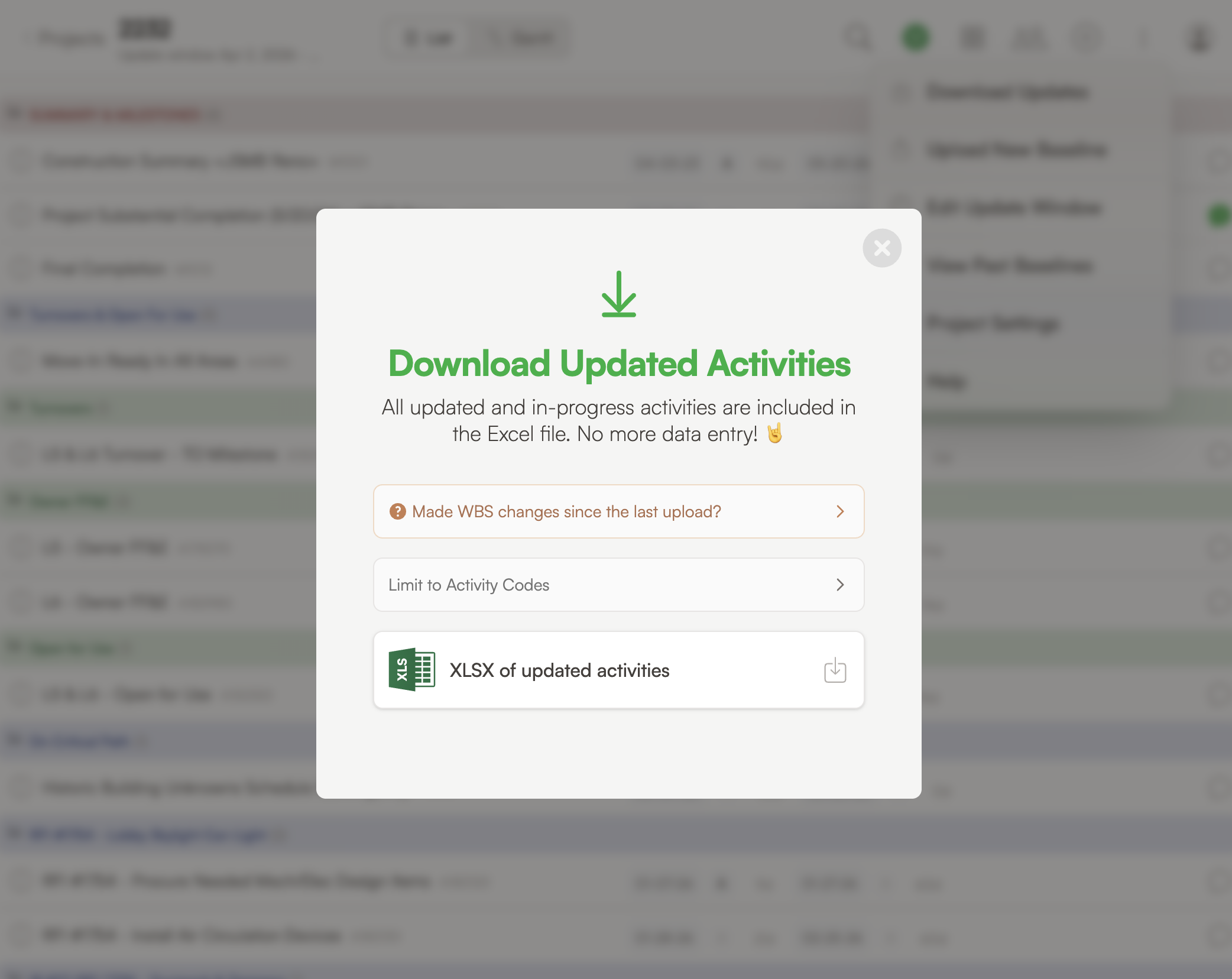
- ✓ Know what's been updated without picking up the phone or sending emails.
- ✓ See all updates in one place instead of scattered PDFs and scribbles.
- ✓ Activity changes import cleanly into P6 with no manual data-entry.
- ✓ No more nagging. Stride does the reminding, the collecting, and the P6 update.
Operations leaders
Know exactly what's done and what needs an update
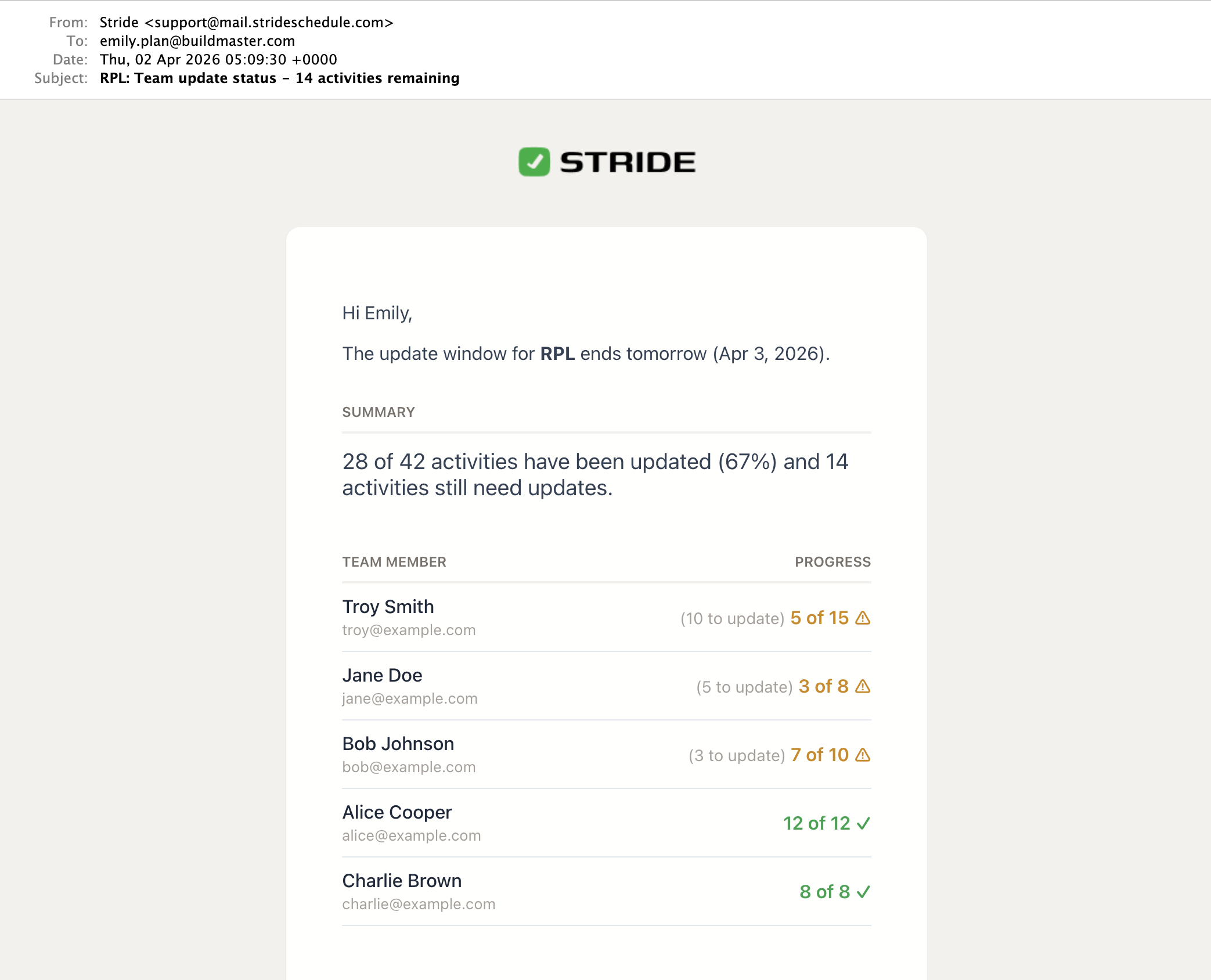
- ✓ Updates hit your inbox automatically so you know exactly where things stand.
- ✓ See cycle health in real time — who has updated, what is still missing.
- ✓ Person-level accountability for every activity, every update cycle.
- ✓ Compare update cycle health across projects without chasing info from your team.
- ✓ Filtered to your work, with access to the whole to-go schedule.
- ✓ Navigate activity relationships for the entire project. Your PDF can't do that.
- ✓ Interactive Gantt chart shows impacts instantly as dates change.
- ✓ Daily huddles surface what is getting worked and what is being missed.
- ✓ Know what's been updated without picking up the phone or sending emails.
- ✓ See all updates in one place instead of scattered PDFs and scribbles.
- ✓ Activity changes import cleanly into P6 with no manual data-entry.
- ✓ No more nagging. Stride does the reminding, the collecting, and the P6 update.
- ✓ Updates hit your inbox automatically so you know exactly where things stand.
- ✓ See cycle health in real time — who has updated, what is still missing.
- ✓ Person-level accountability for every activity, every update cycle.
- ✓ Compare update cycle health across projects without chasing info from your team.
Mega project with large team? Stride was built for you.
In projects with tens of thousands of activities and lots of contributors, the PDF-email process breaks down quickly. Stride has been battle-tested on mega projects with large teams updating the schedule. It makes update cycles a breeze.

"You can tell this was made by someone who has been through getting updates and keeping the team accountable a million times"
Ernesto, Project Scheduler

"It's clear who owns what, and I love having access to the whole schedule so I can see what is missing before it is too late."
Jack, Project Superintendent
See for yourself how fast an update cycle can be.
Watch a scheduler publish a project to their team, supers making updates, and all changes brought back into P6 within a few minutes. If your process takes longer, you need to try Stride with your team.
Pricing by scale, not seats.
Tell us your activity count and we'll give you a fair price to simplify the update process. Unlimited users and projects. Pay monthly, annually, or by full-project duration.
Schedulers exporting PDFs from P6, chasing people for their updates, clarifying scribbled notes over email and phone, and doing data-entry into P6 is costing your project more than $500 a month in labor. Stride pays for itself on the first update cycle.
Common questions about Stride
- We already have a process — PDFs, emails, phone calls. Why change it?
- How long does it take to set up?
- Does Stride replace P6?
- Do all our supers and subs need to pay for a seat?
- Does it work in the field without connectivity?
- What CPM tools are supported?
- Will changes made outside the window get overwritten when I import from Stride?